Keyword Research Without a Subscription: Pay-As-You-Go
If you ship side projects, you have felt this: you need keyword data for one new site, you sign up for a $99–$199/month tool, use it for a weekend, then forget to cancel for three months. Subscription SEO tools are built for agencies that grind keywords every day — not for indie hackers who research in short, intense bursts and then go build.
This is the full workflow I use to do real keyword research without a monthly subscription — from seed list to a page-by-page plan.
Why subscriptions don't fit indie SEO
The big tools price for daily, full-time use. As a solo builder, your usage looks nothing like that. You typically:
- research intensely for a few days when launching, then go quiet for weeks
- need volume + difficulty for 20–30 keywords, not 10,000
- run several small sites, none of which alone justifies $1,000+/year
Do the math: a $129/month tool you open three times a year is effectively costing you ~$500 per research session. The data is great — the pricing model just assumes a workload you don't have. You end up renting a Ferrari to drive to the corner store twice a month.
What "pay-as-you-go" actually means
Instead of renting access monthly, you pay per lookup: search volume, keyword difficulty, and related terms for the exact keywords you check. No seat, no monthly minimum, no auto-renew to forget about. You top up a balance, spend it only when you research, and what's left stays there.
For bursty, project-based research this works out far cheaper over a year — and removes the "I'm paying for this and not using it" guilt that makes you cancel and lose your history anyway.
The 4-step lean keyword workflow
1. Seed from your product and audience — not from a tool
Start offline. Write down the jobs your product does and the exact words your users type. Three good seed sources:
- The problem your product solves ("track competitor prices", "compare two images")
- The category ("keyword research tool", "SEO tool")
- Competitor brand + 'alternative' — high buyer intent, low competition
For a pay-as-you-go keyword tool, my seeds were keyword research without subscription, pay as you go keyword tool, and ahrefs alternative. Tools amplify a seed list; they can't tell you what your buyers mean.
2. Expand, then pull volume + difficulty in bulk
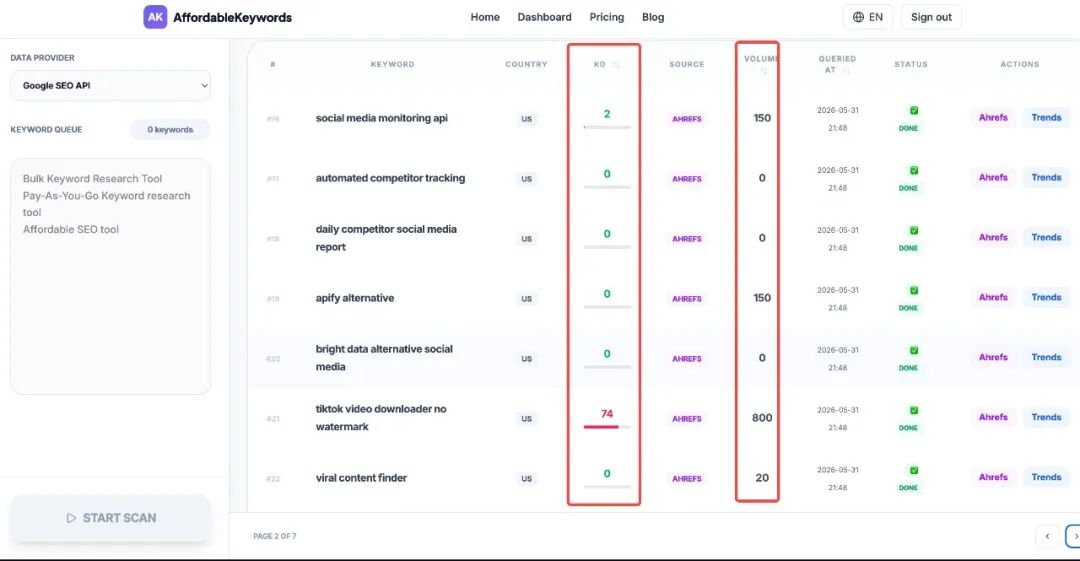
Run each seed through a keyword tool to pull related terms, "people also ask" questions, and long-tail variants. Then the part that actually saves time: fetch search volume and keyword difficulty (KD) for the entire list in one batch. Paste in every candidate keyword and get volume + KD back in seconds — instead of querying them one at a time.
Bulk metrics in a single pass is both faster and cheaper: you're not re-running the same terms later, and you can sort the whole set by KD and volume at once to see what's worth pursuing. Dump everything into one sheet — you'll filter next, not now.
3. Filter by intent and difficulty
Keep a term only if both are true:
- Intent matches a page you can credibly write. A how-to query needs a guide; a "best X" query needs a comparison; a "X alternative" query needs a landing page. Mismatched intent never ranks, no matter how good the post.
- Difficulty is within reach. A new site with little authority should target long-tail, lower-volume, buyer-intent phrases first. Ten keywords you can actually rank for beat 100 you can't.
A useful rule of thumb: chase specific over big early. "pay as you go keyword tool" will rank and convert for a new site long before "keyword research" ever will.
4. Map one keyword per page
Assign each winning keyword to a single URL. Two reasons:
- Avoid cannibalization — two pages targeting the same term split your own ranking signals.
- Force clarity — one page, one job, one primary query keeps the content focused.
Here's the map for this exact keyword cluster:
| Keyword | Intent | Page | |---|---|---| | keyword research without subscription | How-to | This guide | | pay as you go keyword tool | Commercial | Product landing page | | ahrefs alternative cheap | Comparison | A "vs" comparison post | | free keyword research tools | Informational | A tools listicle |
Which metrics actually matter
| Metric | What it tells you | How to use it | |---|---|---| | Search volume | Demand size | Sanity check only — don't chase big numbers early | | Difficulty / KD | How hard to rank | Stay well below your site's authority at first | | Intent | Why they searched | Must match your page type, or you won't rank | | CPC / commercial value | Buyer intent | High CPC long-tail = great for a product-led post |
Intent and difficulty decide whether you rank at all; volume only decides how much it's worth once you do.
Pay-as-you-go vs subscription tools
| | Subscription (Ahrefs/Semrush) | Pay-as-you-go | |---|---|---| | Best for | Agencies, daily SEO | Indie hackers, bursty research | | Cost model | $99–199/mo flat | Per lookup | | Risk | Forgetting to cancel | None — no recurring charge | | Your history | Lost when you cancel | Stays with your account | | Depth | Very deep | Enough for indie sites |
The tool I built for this: Affordablekeywords
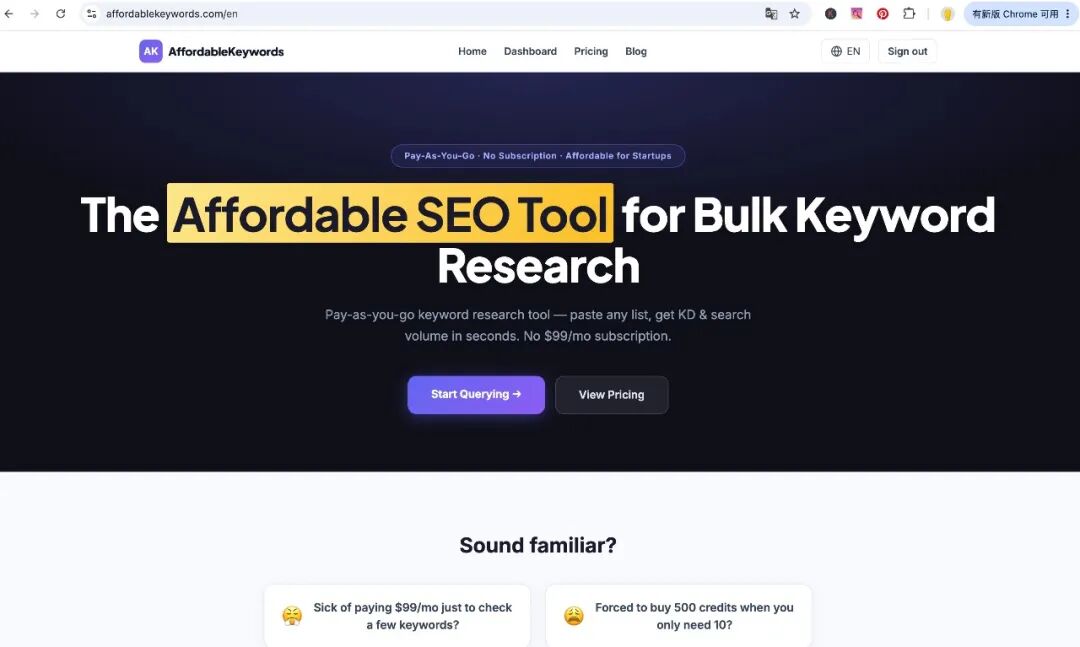
I kept hitting this exact problem across my own projects, so I built Affordablekeywords — an affordable, low-cost SEO keyword tool with no subscription. It's free while in early access: 2 lookups a day, no signup and no credit card. As it grows it'll move to pay-as-you-go pricing — but the no-subscription model stays, so occasional research never costs you a monthly fee.
When you do want a subscription
Be honest about your usage. A subscription pays for itself if you:
- research keywords most days
- run SEO for clients or a content team
- need deep backlink/competitor analysis beyond keyword data
Pay-as-you-go wins specifically when usage is occasional and spiky — which is exactly how most indie hackers work.
FAQ
Is there a completely free keyword research tool?
Free tools (Google autocomplete, "people also ask", Search Console queries) are great for seeding ideas, but they don't give reliable volume or difficulty. Pay-as-you-go fills that gap without a subscription.
What's the cheapest way to do keyword research?
For occasional use, pay-as-you-go is usually cheapest over a year because you only pay for the lookups you run — there's no idle monthly fee.
Do indie hackers really need Ahrefs or Semrush?
Rarely, at the start. They're excellent but priced for daily, professional use. Until you're researching constantly, per-lookup pricing covers what a solo builder actually needs.
How many keywords do I actually need?
For one site, a focused set of 20–50 mapped keywords usually beats a dump of thousands. Depth on the right terms wins.
What's a good affordable or cheap SEO keyword tool?
Look for low-cost SEO keyword software with no subscription — something that charges per use (or is free at small volume) instead of a flat monthly fee. That's exactly why I built Affordablekeywords: an affordable keyword tool for indie hackers who don't need an enterprise plan.
Takeaway
You don't need a $99/month contract to do good keyword research. Seed from real intent, expand and filter in one pass, judge by intent and difficulty over raw volume, map one keyword per page — and pay only for the lookups you run.